dB Meter: Decibel Sound Level
dB Meter is a sound level meter for iPhone and iPad: it shows the level around you in decibels, with the minimum, the energy average (LEQ) and the maximum, and saves each measurement on your device. It keeps measuring with the screen locked or in another app, for up to 8 hours, and it adds up today’s noise dose by the NIOSH formula. Its readings are estimates from the phone’s microphone, not certified measurements.
Screenshots
Key facts
| Made for | iPhone and iPad |
|---|---|
| Requires | iOS 17.0 or later; iPadOS 17.0 or later on iPad |
| App Store category | Utilities |
| Price | Free to download. Everything listed under Included works without dB Meter Pro. dB Meter Pro is optional; its purchase options and the price in your currency are shown in the app and on the App Store before you confirm. |
| Data collected | None declared: the app’s privacy manifest lists no collected data and no tracking. |
| Account, ads | No account and no ads. |
| Measures | With dB Meter open or with the screen locked, up to 8 hours per measurement. |
| Language | English |
| Current version | 3.0.0, released November 18, 2026 |
| Made by | TheKnack |
| App Store | dB Meter: Decibel Sound Level (ID 6760597296) |
Who it is for
- Anyone who wants to know how loud a room, a street or a concert is right now.
- People who want a dated log of noise, even over hours with the screen locked.
- People who want an estimate of today’s noise dose by the NIOSH formula.
- People with a calibrated sound level meter who want the phone to read the same.
What it is not
- It is not a certified sound level meter or dosimeter; the app’s terms say: “dB Meter is not a medical device and not a certified sound level meter or noise dosimeter.”
- The same terms say not to use it to decide whether a workplace meets a legal limit, or as evidence.
- It uses one fixed conversion for every iPhone and iPad model, so an uncalibrated reading can differ from a calibrated meter.
- A measurement ends after 8 hours, and a phone call or another app that takes the microphone ends it; both times it is saved.
What it does
Measure
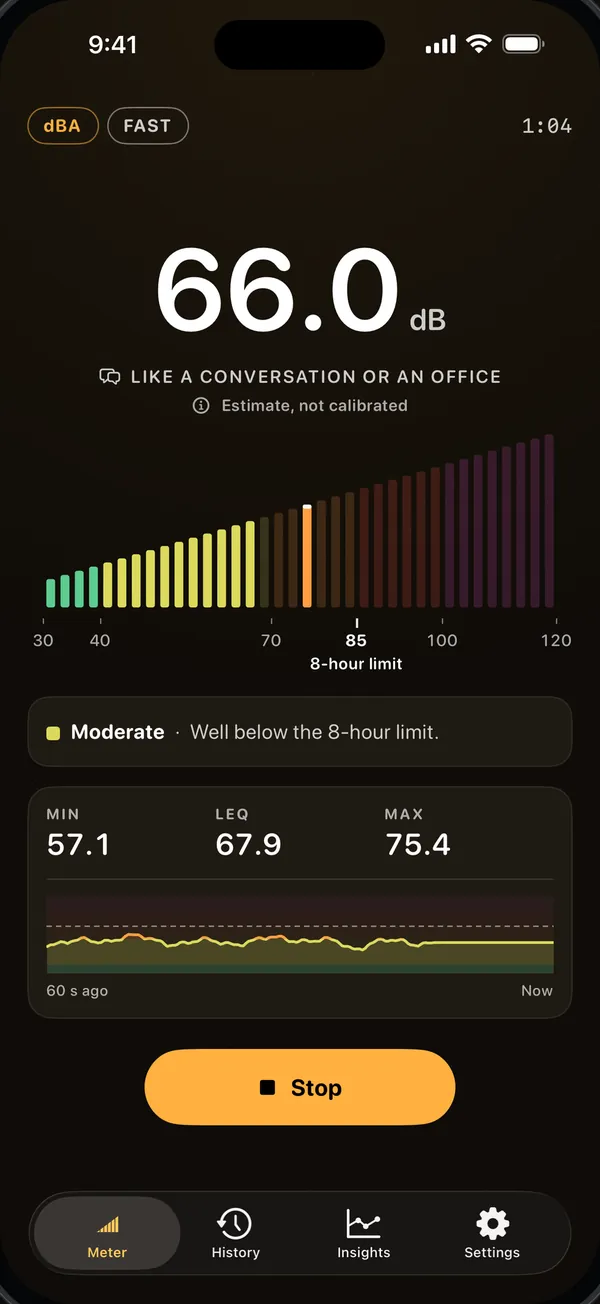
- One large reading in decibels, its zone in words (Quiet, Moderate, Loud, Very Loud, Dangerous) and an everyday comparison such as “Like a conversation or an office”.
- Under it: the minimum, the LEQ (energy average) and the maximum, and a graph of the last 60 seconds.
- Below what the microphone can hear the meter shows “<30”, and “OVER” when the input overloads.
- Until the first reading arrives it shows “--” and “Listening...”, not 0.0 dB; a measurement over 2 seconds that never gets a reading is not saved and says “No sound detected. Check microphone access.”
- Readings are in dBA without dB Meter Pro; dBC and dBZ come with dB Meter Pro. The peak in a measurement’s summary is always C-weighted.
- One haptic tap when the level crosses 85 dB, not again until it falls back below; it follows the Haptic Feedback switch in Settings.
Measure for hours
- A measurement you start keeps running when the screen locks or you switch apps, up to 8 hours, without dB Meter Pro.
- On iPhone, a Live Activity on the Lock Screen and in the Dynamic Island shows the level, with a Stop button that stops and saves the measurement.
- While it runs, a summary is written every 10 seconds, so if iOS closes dB Meter the measurement up to that point is saved the next time you open it.
Today’s noise dose
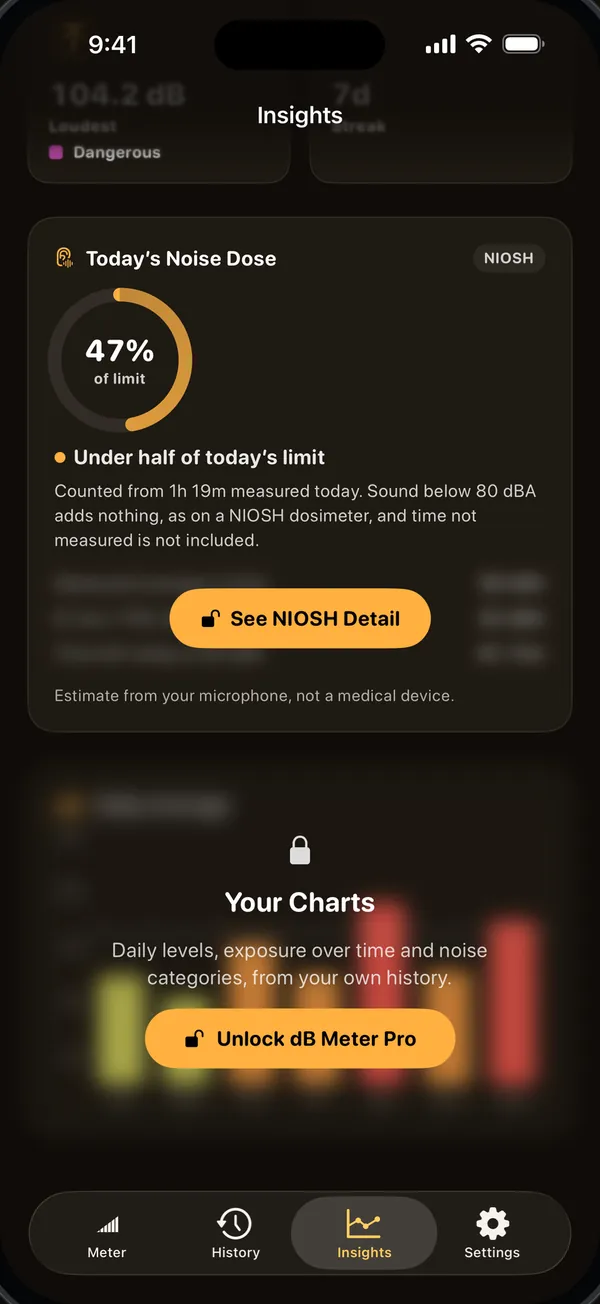
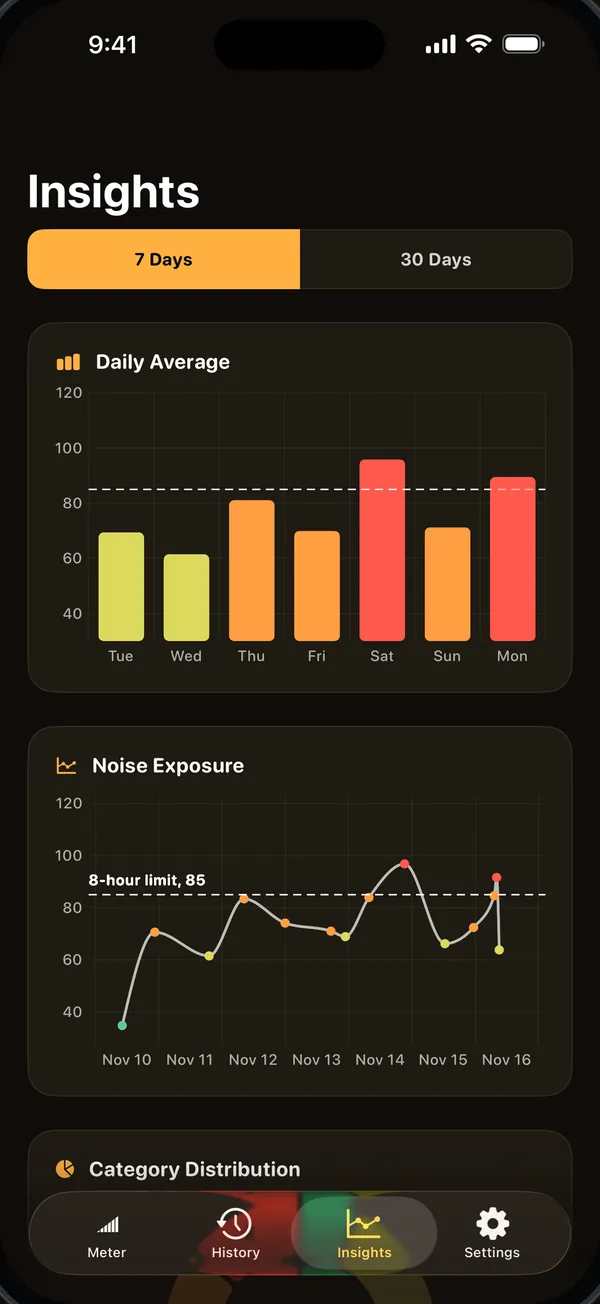
- The dose card on Insights shows how much of the NIOSH daily limit you have used today, without dB Meter Pro.
- It counts only the time you measure, also with the screen locked, and starts again at midnight.
- With dB Meter Pro: the measured LAeq, the 8-hour TWA, the time left today at 85 dBA, and an alert at 50, 80 and 100% of today’s dose while you measure, with Keep Measuring and Stop Measuring.
- On iPhone, when dB Meter is in the background, that alert appears on the Live Activity; it is not a notification.
Keep a record
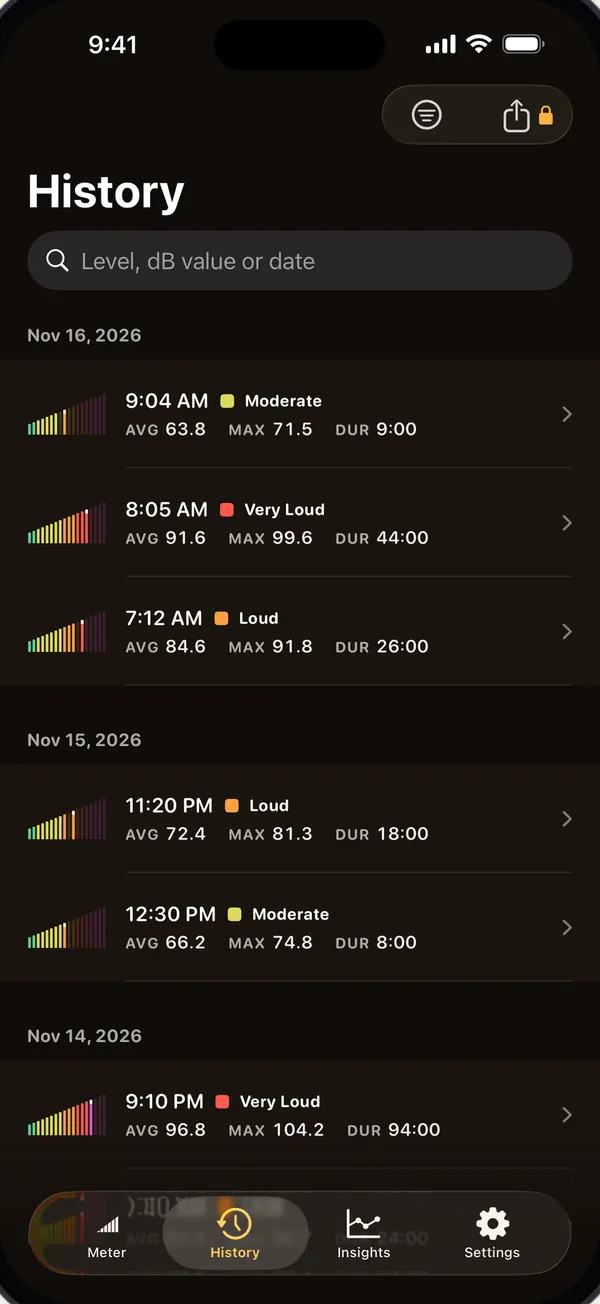
- Each measurement longer than 2 seconds is saved with its date, length, LEQ, minimum, maximum, weighting and calibration.
- Search History by level, a dB value or a date; after a delete, Undo stays for 8 seconds (15 with VoiceOver or Switch Control).
- Without dB Meter Pro you can open the last 7 days; older measurements stay on your device, locked, and can still be deleted.
- With dB Meter Pro, History exports a CSV file with the date in UTC and local time, the length, LEQ, minimum, maximum, zone (for dBA), weighting and calibration.
- With dB Meter Pro, Record Clip on the Meter or Settings > Recordings saves audio clips as files on your device, locked by iOS while the device is locked.
Widgets, Siri and Control Center
- Home Screen and Lock Screen widgets show your latest measurement and today’s dose; a tap opens the Meter, and once setup is finished it starts measuring if the microphone is allowed.
- “How loud is it with dB Meter” measures for about 3 seconds, says the level and, in dBA, its zone, and saves the check in History.
- “Measure noise with dB Meter” opens the Meter and starts measuring if setup is finished, asking for the microphone first if it has not been asked yet. If the microphone was refused earlier, it does not start. “What’s my noise dose in dB Meter” answers without opening the app.
- On iOS 18 and later, a Control Center control opens dB Meter, and once setup is finished it starts measuring if the microphone is allowed.
Included, and what dB Meter Pro adds
| Included with the download | Added by dB Meter Pro |
|---|---|
|
|
If dB Meter Pro ends, measurements made while you had it stay open and can still be exported, and clips you recorded can still be played. The dB Meter Pro screen opens by itself at most twice, the second time at least 7 days after the first. Free to download. Everything listed under Included works without dB Meter Pro. dB Meter Pro is optional; its purchase options and the price in your currency are shown in the app and on the App Store before you confirm.
How it works
- The level is computed from the microphone signal with one fixed conversion for every device, in iOS’s measurement audio mode; calibration shifts it by up to 10 dB either way in 0.5 dB steps.
- The A and C weighting filters are built from the IEC 61672-1 formulas and match those curves to within about 0.1 dB up to 10 kHz; dBZ applies no filter.
- The reading uses the Fast time weighting (125 ms); LEQ is the energy average of the whole measurement, and the minimum and maximum are Fast levels.
- The dose uses the NIOSH formula, 85 dBA for 8 hours is 100% and every 3 dB louder halves the time, counted from the A-weighted Slow level, with nothing added below 80 dBA, whatever weighting the meter shows.
- It is an estimate of the time you measured, not a workplace dosimeter reading.
Privacy
Sound is measured on your device; dB Meter has no account, no ads, no analytics and no server. Measuring keeps numbers, not sound; audio is saved only when you record a clip with dB Meter Pro. The widgets read a copy of your latest measurement and today’s dose from an App Group on your device, shared only by dB Meter and its widgets. The app’s privacy manifest declares no collected data and no tracking.
Questions
Is dB Meter accurate?
It gives an estimate, not a certified measurement: it uses one fixed conversion for every iPhone and iPad model. You can calibrate it against a calibrated meter, up to 10 dB either way in 0.5 dB steps, without dB Meter Pro; the meter then shows “Calibrated” with your offset.
Does it keep measuring with the screen locked?
Yes. A measurement you start keeps running with the screen locked or in another app, up to 8 hours, without dB Meter Pro. It ends and is saved when you tap Stop, after 8 hours, or when a call or another app takes the microphone.
Does it measure a daily noise dose?
Yes. Today’s dose is on the Insights tab without dB Meter Pro, by the NIOSH formula: 85 dBA for 8 hours is 100%, every 3 dB louder halves the time, and sound below 80 dBA adds nothing. It counts only the time you measure, so it is an estimate, not a workplace dosimeter reading.
Does it measure dBA, dBC and dBZ?
Everyone measures in dBA; dBC and dBZ come with dB Meter Pro. The noise dose always uses dBA, whichever weighting the meter shows, and the peak in a measurement’s summary is always C-weighted.
Can I keep a record of neighbor noise?
Yes. Each measurement is saved with its date, length, LEQ, minimum and maximum, a measurement can run for up to 8 hours with the screen locked, and dB Meter Pro exports the list as CSV. It is not a certified measurement, and the app’s terms say not to use it as evidence.
Does it record or upload my audio?
It uploads nothing, and measuring saves only numbers. Audio is saved only when you record a clip with dB Meter Pro, and the clip leaves your device only in your own device backups or when you share it.
What do I get without dB Meter Pro?
The live meter in dBA with the minimum, LEQ and maximum, calibration, today’s noise dose, measuring with the screen locked, the last 7 days of history, widgets, Siri, the Control Center control and 2 of the 5 themes. dB Meter Pro adds dBC and dBZ, dose alerts and the NIOSH detail, charts, all your history, CSV export, audio clips and all 5 themes.
What can I do with Siri, widgets and Control Center?
Ask “How loud is it with dB Meter” for a 3-second check, “Measure noise with dB Meter” to start measuring, or “What’s my noise dose in dB Meter” for today’s dose. A tap on a widget, or the Control Center control on iOS 18 and later, opens the Meter, and once setup is finished it starts measuring if the microphone is allowed.
What’s new
- 3.0.0November 18, 2026Measuring continues with the screen locked or in another app, up to 8 hours; on iPhone a Live Activity has a Stop button. Calibration and today’s noise dose no longer need dB Meter Pro, and the dose now counts the A-weighted Slow level with nothing added below 80 dBA. The A and C filters follow the IEC 61672-1 curves, and the average is now the energy average (LEQ). New: widgets with your latest measurement and today’s dose, a Control Center control, Siri’s How Loud Is It and Today’s Dose, History search by a dB value or a date as well as by level, Undo after a delete, Record Clip on the Meter, and dose alerts at 50, 80 and 100% with dB Meter Pro.
Support
Questions about dB Meter: support@theknackapps.com